
Pack a story for the journey
Offline reading for kids.
Stories for the journey.
Looking for an offline reading app for kids? Download books in Pupila while connected, then open your downloaded collection when you are away from Wi-Fi. Prepare your books and check access before you leave.


Get ready while connected
How to prepare a book for offline reading
Use the phone or tablet you plan to take with you. Downloading a book on one device does not prepare a second device for a journey.
Choose a story →- Sign in and choose a book. Open Pupila and find a free title or one included in your active subscription.
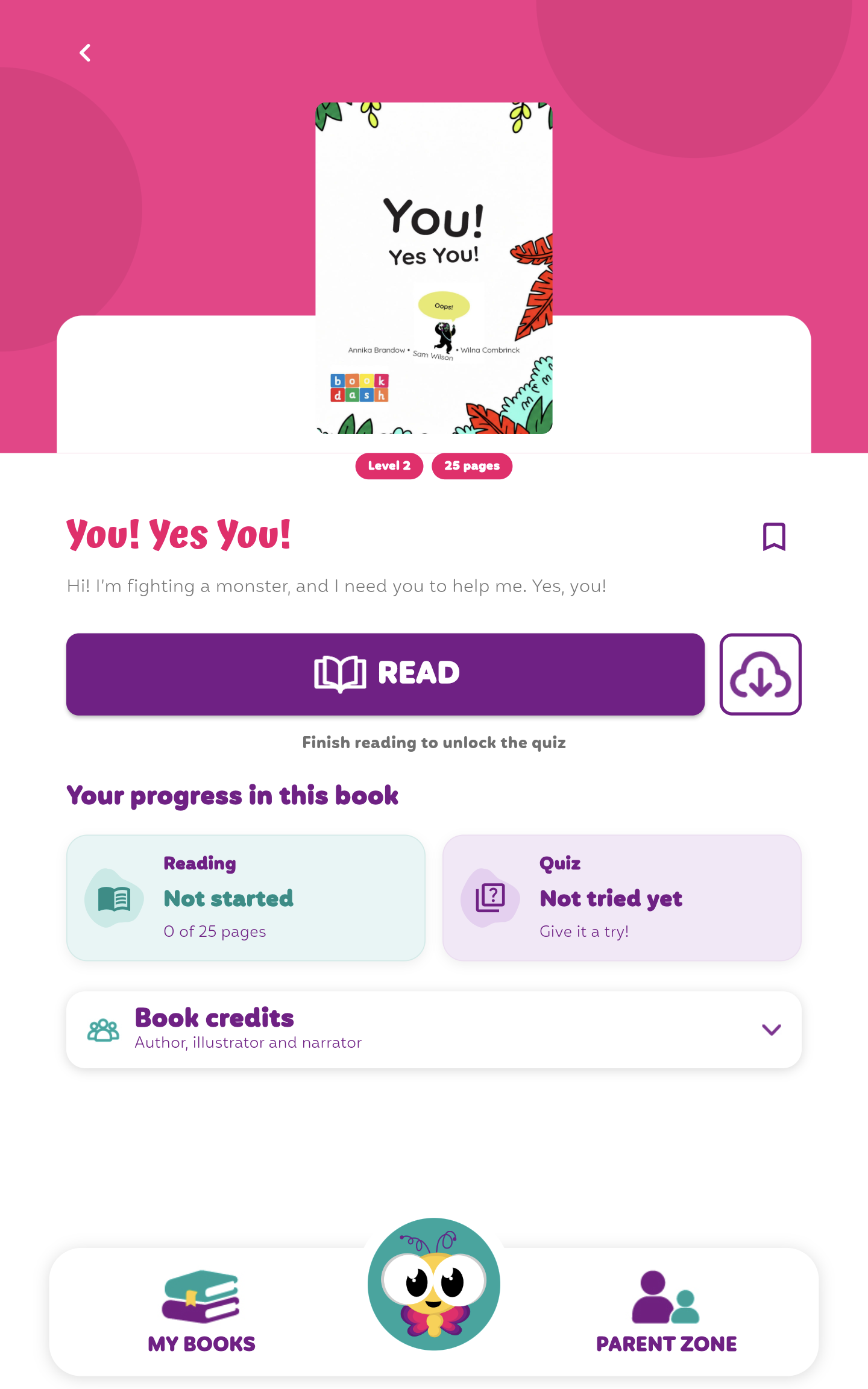
- Tap the download button. Use the cloud-and-arrow button beside Read or Continue on the book page and keep the app connected until the download finishes.
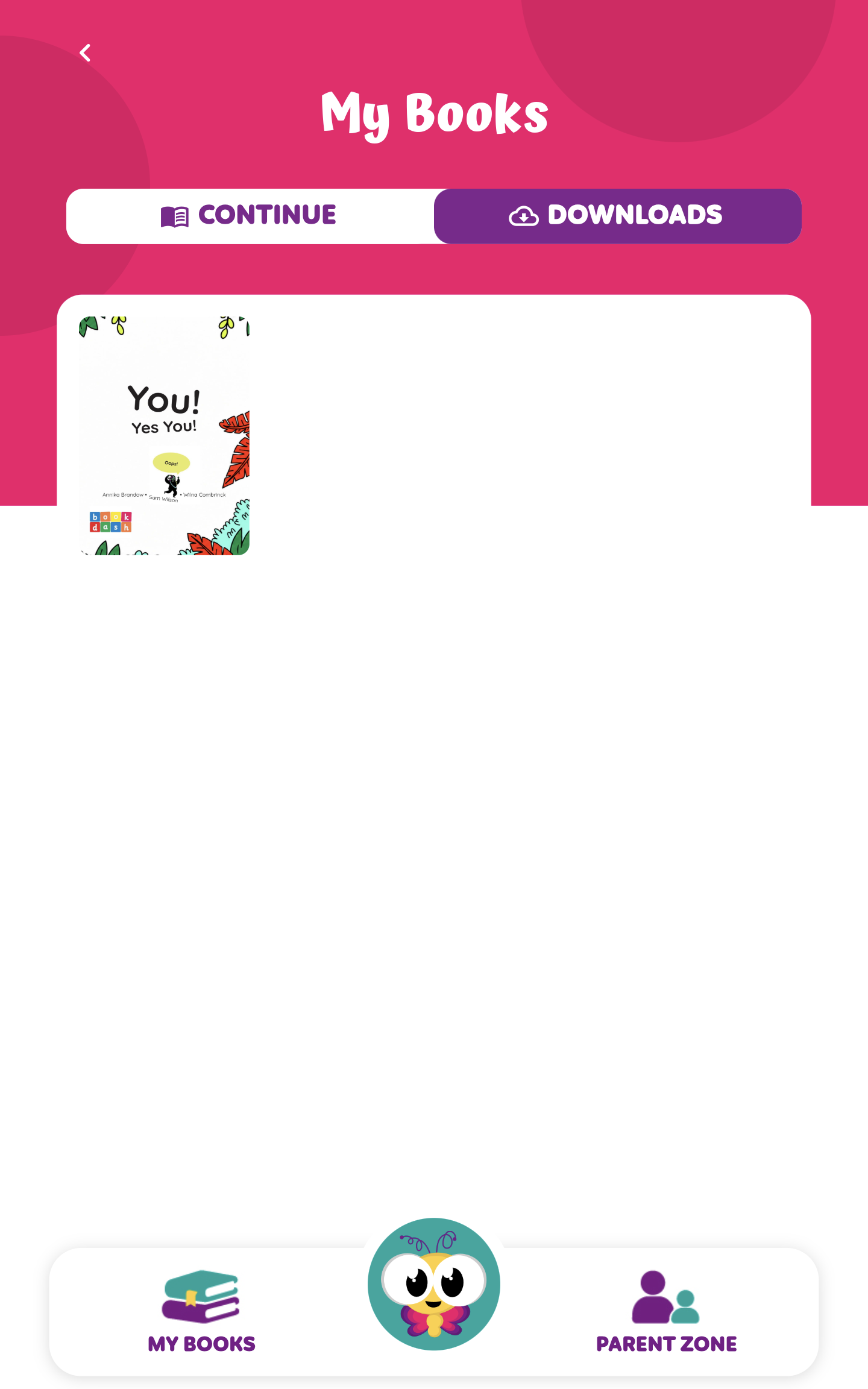
- Find the downloaded book. Open My Books and choose the Downloads tab. Select the book you prepared.
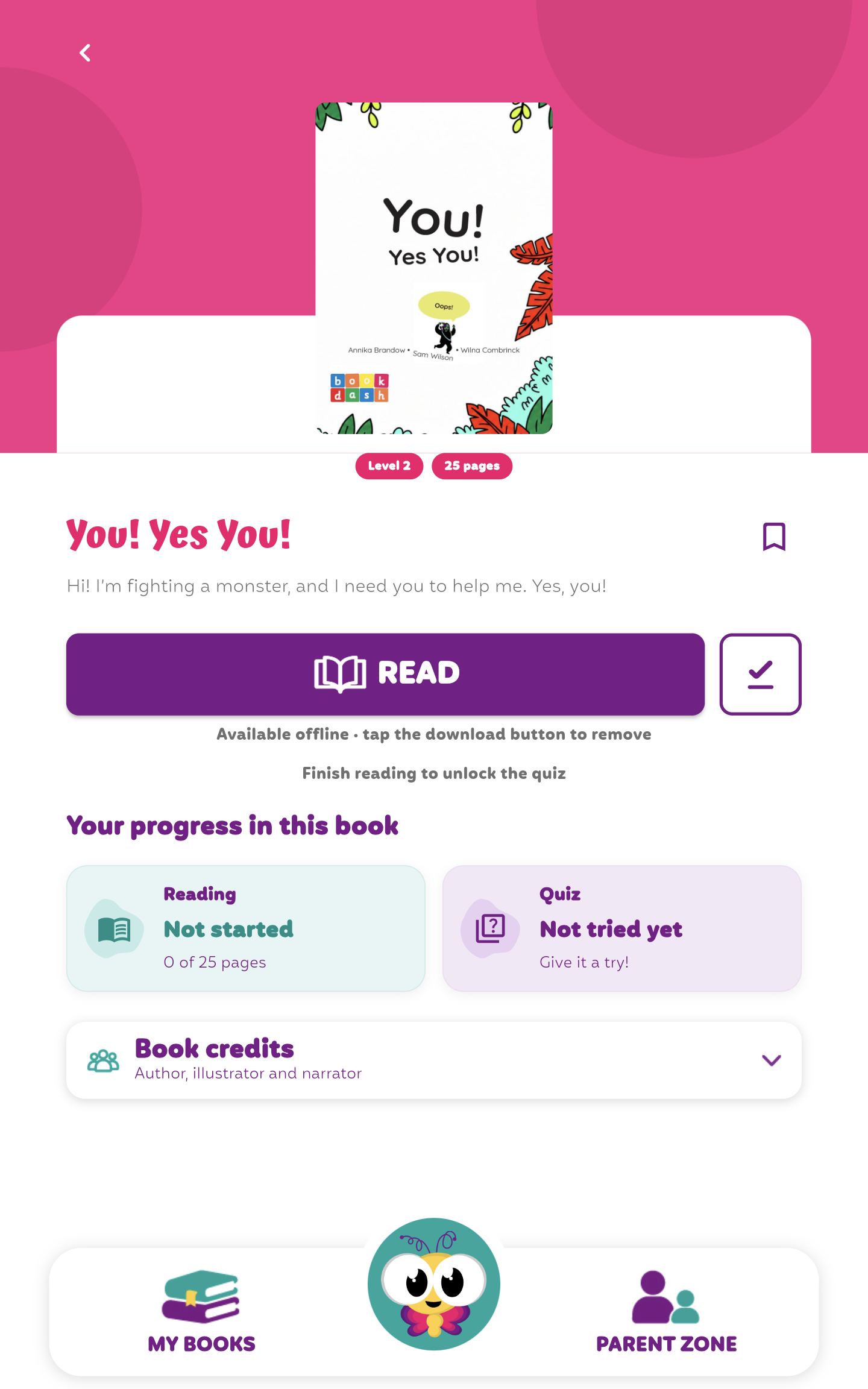
- Try it without a connection. Turn off Wi-Fi and mobile data briefly. Open the book and try the pages and audio you want to use.
- Check paid access before travelling. Reconnect and confirm that your subscription is active. If access verification needs refreshing, do that while you still have a connection.
See the steps in Pupila
Download a story, then find it in My Books
These screenshots show You! Yes You! on an Android tablet. The book was downloaded while connected and opened from Downloads with Wi-Fi switched off.
Paid books still require valid subscription access for the signed-in account. Check the books you plan to use before leaving.
When a book will not open
A few things to check
Did the download finish?
Look for the book in the Downloads tab. If it is missing, reconnect and return to the book page to complete its download. Opening a title from the main library does not prove it is ready offline.
Are you using the account that downloaded the paid book?
Paid downloaded access is tied to the account. Confirm that you are signed in to the account with the relevant subscription, rather than a different family member’s account.
Does subscription access need refreshing?
Connect to the internet and check the subscription status in Pupila. A saved paid book does not remain readable indefinitely after access expires. If your subscription is active and the book still will not open, contact the Pupila team with the book title and device details.
A little preparation.
A story to take with you.
Download Pupila and try a book marked free before your next journey.